MacBook Neo Real-World Review with Nate Gorby
Nate Gorby is back — and this time he's got two weeks of daily MacBook Neo use to report on. Coming from an M2 MacBook Air he'd already sold, Nate picked up the Neo on day one and has been using it the way most people actually use computers: browsing, email, watching YouTube, light social media, and a bit of writing. No benchmarks, no synthetic tests — just honest, real-world impressions.


Nate Gorby is back — and this time he's got two weeks of daily MacBook Neo use to report on. Coming from an M2 MacBook Air he'd already sold, Nate picked up the Neo on day one and has been using it the way most people actually use computers: browsing, email, watching YouTube, light social media, and a bit of writing. No benchmarks, no synthetic tests — just honest, real-world impressions.
The guys dig into the details: battery life, the lack of MagSafe and Touch ID, the physical trackpad experience, speaker quality, the color-matched interface quirks, and whether 8GB of RAM is actually fine (spoiler: it is).
They also cover WWDC 2026 dates, the 26.4 updates, and Apple's decision to discontinue the Mac Pro.
In this episode:
- Nate's daily use case: browsing, YouTube, Threads, light writing, some photo editing
- The physical trackpad vs. the haptic trackpad on his wife's M4 MacBook Air
- Living without Touch ID and why Apple Watch makes it a non-issue (mostly)
- No backlit keyboard: why the Citrus color's white keys are a natural workaround
- Battery life: good enough?
- Why 8GB of RAM is genuinely fine
- MagSafe as the one real missing piece
- Target now selling the MacBook Neo — and what that means for reaching new Mac buyers
- The education discount trick (you didn't hear it from them)
- Speaker quality: surprisingly good for spoken word
- WWDC 26 announced
- 26.4 updates now available — keyboard improvements for iPhone
- Mac Pro discontinued; the Mac Studio is now the top of the line
Links from the show:
More from Nate:
Last Month Online https://podcasts.apple.com/us/podcast/last-month-online/id1824514139
Nate on Threads: https://www.threads.com/@ngorby
Nate on Instagram: https://www.instagram.com/ngorby
Question or Comment? Send us a Text Message!
Contact Us
- Drop us a line at feedback@basicafshow.com
- You’ll find Jeff at @reyespoint on Threads and reyespoint.bsky.social on Bluesky
- Find Tom at @tomanderson on Threads
- Join Tom’s newsletter, Apple Talk, for more Apple coverage and tips & tricks.
- Tom has a new YouTube channel
- Show artwork by the great Randall Martin Design
Enjoy Basic AF? Leave a review or rating!
- Review on Apple Podcasts
- Rate on Spotify
- Recommend in Overcast
Intro Music: Psychokinetics - The Chosen
Transcripts and some images are AI generated and may contain errors and general silliness.
Nate Gorby (00:00)
I saw it on threads about you're like, well, I have the education discount because you work for the school. And I was like, damn, lucky bastard.
Tom Anderson (00:08)
This is Basic AF episode 84. Show notes for this episode can be found at basicafshow.com slash eight four. In this episode, Nate Gorby returns to the show to talk to us about his brand new MacBook Neo. He's had it for a few weeks. And so we wanted to talk to him again and see what he thinks about that. What's up, everybody? Tommy Anderson here along with Jeff Battersby. Hello, Jeff.
Jeff Battersby (00:29)
Good morning, Tom Anderson.
Tom Anderson (00:31)
How are you doing,
Jeff Battersby (00:38)
kid no Kings ⁓ rally here in a little bit so yeah
Tom Anderson (00:42)
Sweet geez. All right, Nate Gorby Welcome back
Nate Gorby (00:44)
Hey
Tom Anderson (00:48)
Nate was with us a
Nate Gorby (00:48)
guys!
Tom Anderson (00:48)
couple shows go That was unfortunately Jeff couldn't make it to that one because he wanted to be here for that. That was our your review talked to us about the Meta Ray band glasses, which was a good episode So we'll link to that in the show notes. So if you missed that one
Jeff Battersby (00:55)
I did, actually.
Tom Anderson (01:06)
Do go check it out. That one was really good. So welcome back. We're happy to have you back No, it's only been a couple of weeks. So you're now a regular. That's good
Nate Gorby (01:11)
Yeah,
Jeff Battersby (01:12)
Yeah. ⁓
Nate Gorby (01:13)
yeah, yeah, it was kind of fun. I enjoyed it. So I'm back. I'm back.
Jeff Battersby (01:18)
Happy to have you back
and ⁓ excited to have you talk about the new MacBook Neo that you got. And yeah, I'm sorry that I did not, I did drop out at the last minute, I think as I said before, which we can repost this, but ⁓ one of the bartenders at the bar where I work had a fire, burned down the whole apartment building that she lived in. No. ⁓ And so ⁓ she needed coverage, obviously, for brilliant.
Nate Gorby (01:24)
Yeah.
Tom Anderson (01:39)
Not good.
Jeff Battersby (01:47)
and true reasons and so I did do one of those coverages. So that's why I disappeared. Wasn't because of you, Nate, promise.
Nate Gorby (01:56)
Yeah. Yeah. Or was it because I set the fire? just. Yeah. Yeah. Well, Jeff, I have a question for you is that I want to know, I want to get some follow up on the ⁓ the air pod in your underwear ⁓ test. yeah. Air tag. Yeah.
Jeff Battersby (01:58)
Well, we'll find out. After this episode, if you see me not showing up for subsequent episodes, you'll know what the deal is.
Tom Anderson (02:01)
You
He may just walk out, who knows? He's done that to me before.
Jeff Battersby (02:20)
It hasn't showed up. AirPod AirTag. ⁓ The,
Tom Anderson (02:21)
⁓ no.
Jeff Battersby (02:26)
yeah, right, right. The bad AirTag. ⁓ I have not received it yet, which is really weird. So I emailed those guys this week just to say, hey, you accepted me. Where's my butt sniffer? ⁓
Nate Gorby (02:26)
You
Tom Anderson (02:27)
Ahem.
Nate Gorby (02:34)
Yeah.
I was.
I was laughing to myself because I was thinking like, that's not going to work. like, if they get all the test results, they'll just be like, can you just fart in a jar and send that to us? Like your story all over again. It's like, oh, I thinking you'd just go in this jar and send it to us. Yeah. But yeah, that was a fun one. You're brave for doing that.
Jeff Battersby (02:51)
Yeah. Ask my brother how that plays out. Yeah, yeah. Ask my brother how that plays out for him. Still.
I'm glad you liked it.
I actually emailed those guys, too, to see if we can get them on. ⁓ So it might be a...
Nate Gorby (03:11)
That would be funny. Yeah.
Tom Anderson (03:15)
I told him I don't think
it's a legit thing. I think it's just weird dudes with fart kinks.
Nate Gorby (03:19)
Yeah, think that's... Send us pictures.
Jeff Battersby (03:20)
That's exactly what Tom said.
Tom Anderson (03:23)
So, I
don't know, Badgersbury's into weird stuff, man. I don't know what to tell you guys about this. Let's move on, shall we?
Jeff Battersby (03:26)
la
Yeah, alright, alright.
Fair, fair.
Tom Anderson (03:33)
I'm not shaming anybody, but let's just move on.
Jeff Battersby (03:36)
Right, yeah you are Tom. Alright, so Nate, ⁓
Nate Gorby (03:37)
Yeah, please. Yeah.
Jeff Battersby (03:42)
you were able to pick up one of these day one, correct? So you had pre-ordered, showed up at your door on day one. ⁓ Tom got his hands on one a couple weeks ago, but not for very long. You've had this for two weeks now, so we're interested to hear how that plays out for you, or how that has played out for you thus far.
Nate Gorby (03:44)
Yep. Yep.
Yeah.
Yeah!
Yeah, so so far it's actually been really good. ⁓ Prior to this, had a personally I had a M2 MacBook Air. ⁓ And I ended up getting rid of it. ⁓ Just because it was, I didn't feel like I needed it that much. And it turns out I did actually want and need a Mac. So this thing came out and was released. Had a perfect timing because I
just spent like about a month not having a Mac and then have one back again. My wife has the M4 Air and ⁓ it's interesting to like go back and forth between the two computers. ⁓ The trackpad feels a little different. The keyboard is a keyboard. ⁓ I did get the model without Touch ID and I kind of thought at first that maybe that was gonna be a mistake.
Jeff Battersby (04:56)
Okay.
Nate Gorby (05:00)
But it hasn't been bad. So if you have an Apple watch, can just do like the ⁓ unlock with watch. And, you know, I'm always typing, you know, with my hands are on the keyboard. So if there's something that needs to authenticate, like where some of my apps, like the way journal app requires like touch ID or whatever authentication, I can just click to a, on my watch and you're good to go. So it hasn't really been too difficult in a
Jeff Battersby (05:06)
sure.
Nate Gorby (05:30)
in a world where I feel like everything's either face ID or touch ID and it's kind of optimized for that type of thing. ⁓ I've been totally fine with it all. yeah, I don't know. The day-to-day use, I'm kind of using it like how I... Yeah, yeah. Yeah, so ⁓ when I'm home, I'm using it as like basically everything I would use my iPad for. ⁓
Jeff Battersby (05:47)
So what are you using it for? What is it that you use it for?
Nate Gorby (06:00)
I've got the Threads web app. ⁓ I'm doing actually a lot more YouTube watching and stuff on the Mac. There's a really cool app called Reader. ⁓ I think it's called Reader, yeah, Reader. I'm doing a lot of like just video stuff. So it's just super light consumption of things. ⁓ I'm not a really big like super Mac user. ⁓ Like I'm not creating anything, I'm not.
making music or apps or anything like that. I'm browsing, emailing, light social media, maybe some photo editing.
It's been pretty, but it's been pretty chill. I've actually really, really enjoyed.
Jeff Battersby (06:44)
So you said you had no Mac. You got rid of your M2 MacBook Air on the in-between. And then you picked this up. ⁓ So you don't use this for work purposes at all. It's basically an email box in a, okay, interesting. So.
Nate Gorby (06:57)
No.
Yeah, I do some writing
and stuff. I don't really necessarily publish a lot of it, but I mean, I do some like typing and things like that on it. But yeah, it's it's
Jeff Battersby (07:11)
And what apps are you using for that?
Nate Gorby (07:15)
⁓ so I use like the journal app, that comes with the Mac. ⁓ I have looked through, I did actually end up, ⁓ my son is in some early college coursework. So I used his school ID to get a year of Apple creator studio just to kind of see what it was. So I was like 30 bucks a year, man. I can't really go wrong with that. So I made him verify whatever it had to do.
Tom Anderson (07:36)
Nice.
Jeff Battersby (07:38)
Yeah, nice.
Tom Anderson (07:41)
Right.
Nate Gorby (07:45)
That was cool. So some of those apps are fun. The Pixelmator is really like the photo or the app that I was after on that. ⁓ Freeform had the new update and that was kind of fun to play around with with some of the AI stuff. But yeah, I for writing, I downloaded ⁓ Substack and they had recently like done a lot of, there's like weird podcast stuff that they do inside of their video and just.
some different formats that I think they're kind of playing around with, which I thought could be interesting. I don't know, it's kind of one of those ideas or those things that come up and I just want to give it some time to see what I might create with it or not create with it. But yeah, it's like I said, I'm pretty light. mean, I have messages, mail, reminders, things. It's, yeah.
Jeff Battersby (08:30)
Hahaha.
Just the day-to-day, know, everyday
stuff that you, as you said, you might do with an iPad. And were you using a keyboard with the iPad, predominantly, or were you using it straight-up tablet style?
Nate Gorby (08:41)
Yep. Yeah.
I
was just straight up tablet style. It's an iPad mini, so it's not even that big of an iPad. And I was like, this will be fine. Like I really don't use that Mac for too much. And then it's like, well, when that's the only option besides your phone, it kind of sucks. it's like, ⁓ well, actually, yeah. But I've really enjoyed it. I've had an iPad with a keyboard before I did one of the ⁓
Jeff Battersby (08:56)
Okay.
Tom Anderson (09:08)
Fair.
Jeff Battersby (09:08)
Okay, interesting.
Nate Gorby (09:21)
was the first iPad Pro that had that weird folio keyboard thing that was almost as expensive as the iPad. ⁓ But yeah, anyhow, I've had that before. That was a nice setup, but yeah.
Jeff Battersby (09:31)
Yeah.
Okay, so as far as build quality, you know, everybody said this thing feels really solid. How is it compared to the MacBook Air or your wife's M4 MacBook
Nate Gorby (09:49)
Um, I think it's perfectly fine. Um, my computer at work is a, uh, like a Lenovo think pad. It's kind of just this over just piece of junk. Um, I'll just, I'll kind of, um, press down like on the body of the, the, the Mac and it's, you know, it's a solid piece of aluminum and the computer at work is like the whole thing flexes down and it's like, Oh, this is kinda
Tom Anderson (10:02)
Yeah.
Nate Gorby (10:18)
Plastics maybe not the way to go. Yeah, yeah. So it's like, like I can kind of appreciate, you know, what it is. ⁓ I really like the, they changed the shell of the computer and it's a little bit thicker and it's a little bit rounder edges. Like it feels softer in the hand just to hold it into like everything like that. So the feel of it is really good. ⁓
Jeff Battersby (10:19)
still make those things out of plastic,
Nate Gorby (10:46)
Like I said, the keyboard's fine. The trackpad was a little weird at first, because I don't think I've had a Mac with the physical trackpad. And I don't know how long. It's been a really long time, because that kind of threw me off at first. ⁓ I don't mind it. Yeah, yeah, it's got some movement, some travel to it. It's weird going back to my wife's MacBook for some things that I'll do for her. And I'm like, ⁓ this trackpad is like...
Jeff Battersby (10:56)
⁓
Yeah.
Tom Anderson (11:00)
Mm-hmm.
Right, because that one actually clicks.
Nate Gorby (11:17)
of stuck or something like it just feels weird after using this one for getting used to this one for a while so yeah it's a perfectly great computer ⁓ i the some of the stuff that you don't really i feel like people maybe people are talking about it is i really like the back on the apple logo how it's not like shiny and it's just kind of another insert of like the the aluminum i think it just kind of looks
Tom Anderson (11:20)
You
Nate Gorby (11:47)
more modern and more up to date. It kind of makes the other MacBook Air that we have in the house just maybe feel a little dated.
Jeff Battersby (11:56)
⁓ interesting. Yeah, I liked I liked that idea. I've still yet to get my hands on one of these to play with.
Nate Gorby (11:57)
Yeah.
Yeah.
Jeff Battersby (12:05)
in the in the last episode of the podcast I was driving past the Danbury Fair Mall on my way home and I'd already been driving for like three and a half hours at that point I was like yeah I don't need to get out of my car so uh
Nate Gorby (12:15)
yeah.
Yeah, yeah. It's a fun computer.
I did like one of the first things I did do as far as like stress testing it when I first got it was like, every time you open up the app, it's like tells you like, welcome to the app store. Welcome to the I did set it up as a new computer. So kind of get that all squared away. And I opened up like all of the apps at once.
Jeff Battersby (12:41)
Okay.
Nate Gorby (12:47)
and they would just pop, pop, pop, pop, pop, pop. mean, they just, it loaded fine. It handled everything like flawlessly. I was actually pretty impressed with it.
Jeff Battersby (12:50)
Okay.
Yeah, so you're not finding I mean, it sounds like based on what you're doing anyway, which perfect use case for this, I think. ⁓ You're finding that there you're not stressing it at all. I mean, my joke kind of is I have a MacBook Pro, an M2 MacBook Pro, and, you know, I type words. That's the majority of what I do on it. You know, there's no way I'm going to stress it, ⁓ which makes it you know, I do edit
Nate Gorby (13:14)
Mm-hmm.
Yeah.
Yeah.
Jeff Battersby (13:27)
photos on it, ⁓ you know, and I use actually Pixelmator, not the, you know, not the sweet version of Pixelmator, but I do use Pixelmator. using that for a long time and Acorn, both of those are apps that I use to do most of my editing. ⁓ And, you know, there's no way.
that I'm using all the juice that that requires for any of the work that I'm doing. know, just sitting there typing and frankly I could be, you know, could be using a Mac SE probably or something like that.
Nate Gorby (14:00)
Yeah. Yeah, yeah.
Tom Anderson (14:03)
Ha ha ha ha.
Nate Gorby (14:05)
That was kind of always my thing with ⁓ always doing like the MacBook Air. ⁓ Like I said, when I have had Macs in the past, like they've always been MacBook Air. And I'm kind of like, man, if this is like such a watered down version of a Mac, like I really don't think I even needed like a MacBook Air was probably.
more power than what I honestly needed. So we'll see how this hopefully this thing will, you know, keep up with with technology or apps or software or whatever is coming. But the eight gigs of RAM is never was never an issue on my MacBooks before. And it's I knew it wasn't going to be an issue with this one. So I felt pretty confident about that.
Jeff Battersby (14:54)
Yeah, I think with the new architecture
Tom Anderson (14:54)
Mm-hmm.
Jeff Battersby (14:55)
that Apple uses, which I don't know if that's true of the A16. I know it's the series. It definitely onboard memory. ⁓ those eight gigs of RAM sounds like a little bit. It really isn't a little bit. It's plenty. And I think as has kind of played out in ⁓
Nate Gorby (15:12)
Yeah.
Jeff Battersby (15:17)
A lot of the reviews that we've seen of the Mac Neo, it's very, very capable. Production capable, no, but nobody in any production house is gonna be pulling out this to do their feature length film. That's just not gonna be a thing. So that A16 chip is great.
Nate Gorby (15:27)
Yeah.
Yeah, no.
Right.
Jeff Battersby (15:47)
And is it 18? Oh, it's 18. Sorry. 816. No, 19. Yeah, it's 18. Sorry. Yeah, you know. Yeah, I'm just making up numbers. iPhone. That's yeah, that's what it is. iPhone 16, A18, right?
Tom Anderson (15:47)
Is it 16 or 18 or 7? Which one is it? Because what's the new phones guys 19? The new phone. Okay. Okay. Okay. Yeah. ⁓
Nate Gorby (15:53)
⁓ yeah, is an A18. whatever. It's an iPhone 16. Yeah.
Tom Anderson (16:01)
Yeah, that's what it is. We're
to have to get them to do what they've done with the operating systems and just get like the phone models and the chip numbers to line up. It's like, if it's the 20 call it the 20. We're all getting old. It's hard to keep track of this stuff. Well, what's interesting to me too is up until about 12 months ago, give or take, it was right around when Apple intelligence was released, if you want to call it that.
Nate Gorby (16:08)
Yeah.
Jeff Battersby (16:10)
Yeah. Yeah.
Nate Gorby (16:11)
Yeah, that'd be
nice.
Yeah, right.
Jeff Battersby (16:16)
What?
I'm that old.
was announced.
Nate Gorby (16:32)
Yeah.
Tom Anderson (16:32)
Well, yeah, and yeah,
and they increased the base RAM from 8 gig to 16 on on the Max. prior to that, though, all the way up, was 8 gig was your starting point, and then you could bump them up. ⁓ So 8 gig is I mean, it was a standard for a long, long, long, long time. And, you know, we always bumped ours up to 16 at work. Now they're 16 out of the gate. But
So it'd be fine. think Jeff alluded to it. think Nate's use case is perfect for this. It's all pretty lightweight. It's a little bit of this, but we have seen some videos. People have pushed the boundaries of it just to see what it would do. And we did, we were kind of repeating what we did when the first Macs came out with Apple Silicon back in 2020 because they shipped with eight gigs. Nobody was really sure what they were going to do with eight gigs. Then it was the Mac mini and I think
Nate Gorby (17:21)
Yeah.
Tom Anderson (17:29)
13 inch MacBook Pro, one of the models anyway. and we're doing all the same experiments. It's, open up all the apps, see how fast they load and so forth and so on. And one of the biggest things back then that we've all gotten spoiled with now are the thermal, know, it's a thermal performance because those Intel MacBooks, especially the 13 inch MacBooks, you just turned them on and God forbid you ran a zoom because if you ran a zoom, it was like, it was ready to
Nate Gorby (17:43)
Thank you. ⁓
Mm.
Yeah.
Yeah. Yeah.
Tom Anderson (17:58)
launch, the fans were running
Jeff Battersby (17:59)
Right.
Tom Anderson (18:00)
and you so was very poor and we've had such great improvements there. And so I think that's helped out a lot too. And even leading up to that before, ⁓ while they were still Intel systems, people were running benchmarks on the iPhones and they were saying, well, look, this iPhone single core performance is just as good as the MacBook is. And it's like on the MacBook Air and MacBook Pro. And it's like,
Nate Gorby (18:22)
Yeah.
Tom Anderson (18:26)
And that's when the speculation was ramping up with, you know, Apple's going to drop Intel and go to Apple silicon. So, these things are, think are just in a really, really sweet spot for the market. because like you said, Nate, your work computer, which I don't know how much you guys pay for those, but you know, it just feels cheap and this doesn't, you know what I mean? And so these, you know, the biggest takeaway I had at the conference a couple of weeks ago was that.
Nate Gorby (18:39)
Yeah.
I'm pretty sure it's up there. Yeah.
Tom Anderson (18:56)
It just feels like a MacBook. It doesn't feel like a separate thing Apple just put out to reach a price point that's kind of flimsy and stuff. Nate, did you have, back in the day, did you have one of the plastic MacBooks that was just MacBook? It was like a white or a black? Were the two options you had? That was 2008 maybe? You're probably 12, I don't know.
Nate Gorby (18:58)
Yeah.
Yeah.
⁓ I did not.
Yeah, had a,
no, was, I had a, an iMac ⁓ back then. So I was still like desktop ready. ⁓ But I did always see those. think that when I, gosh, I can't remember. I feel like I was in an Apple store and for some reason, like the laptop, the idea of a laptop just seemed not.
feasible or like it didn't, I don't know, at the time in 2008 or seven or whatever it was that I had that iVac. ⁓ It was just a different, I mean, it was a different class of people were doing the same stuff in computers, but ⁓ no, I never had one. Yeah.
Tom Anderson (20:04)
Okay, yeah, only reason I ask is it was plastic and it would
do some of that creaking. Like it wasn't as bad as the PCs are where you can actually like push it in, but when you would pick it up, you know, would creak a little bit or open it. But I think that one was around a thousand bucks back then. Jeff, do you remember? Somewhere, yeah, because I had a couple of those, but... ⁓
Nate Gorby (20:14)
Yeah. ⁓
Jeff Battersby (20:21)
Yeah, somewhere in that range.
Nate Gorby (20:22)
Yeah.
had a friend that had
one and I remember it just kind of being like the the material on like your AirPods case like it's shiny but like it's super scuffed up once you like really get like you look closer and it's just like ⁓ it kind of doesn't wear great like it just looks crappy after a while so that is one thing I think I was happy about with the aluminum because I think even as this thing was rumored to come out I
Tom Anderson (20:44)
Mm-hmm.
Nate Gorby (20:53)
personally, I of wondered, was like, I wonder if they would do like plastic or like something other than aluminum, but yeah, obviously not. And it's for good reason, but yeah, the whole gig, the gigabytes of RAM thing is an interesting point. Like you said, I think without Apple Silicon, just really like, it picks up everything that you would like, it turns everything upside down. our, I always give our IT guys a hard time about
how much the Windows computers suck at work. And I'm like, it's weird, because I have a Mac at home and I've never had this problem before. they're like, yeah. Or there's like one VP in our office that has a MacBook. And I'm always like, huh, does Terry ever have issues like this with his computer? And they're like, no. And I'm like, ⁓ that's weird. I wonder what his differences.
Jeff Battersby (21:32)
⁓ you're that guy.
Nate Gorby (21:52)
because Terry has a Mac, this stuff sucks. ⁓ But anyway, yeah, yeah, yeah, should start a motto. What was I gonna say? yesterday I had just like my normal apps open. There's some stuff we do in like a browser and a couple like shipping style softwares. I've always got Teams open and Outlook, like I live and work out of Outlook at work. ⁓
Tom Anderson (21:52)
You
Be like Terry.
Nate Gorby (22:19)
I kept running into like a bunch of like everything would just kind of freeze up and run really slow or else it's like, man, this computer, I've had it with this stupid thing and having like five apps open. And I looked at what the, did like the task manager thing and looked at like the, the Ram on it. And I think it had like 32 gigs of Ram. I was like for the five like web-based applications I have open right now, like, and this thing is struggling. It's like,
Tom Anderson (22:29)
Yeah.
Nate Gorby (22:48)
I don't know what the problem is, but it's terrible. So, ⁓ but yeah, I think that that kind of that type of thing for windows people, maybe sets a precedence where they're like eight gigs, like you can't do anything with that. And it's like, well, you can't, kind of can actually like, you just don't realize how poorly managed everything is on a, least on that computer at work. So yeah.
Jeff Battersby (23:15)
Hahaha!
Tom Anderson (23:16)
Yeah, how's your battery life been?
Nate Gorby (23:18)
⁓ it's pretty good. I would say it gets me through like a full day. ⁓ and I mean, well, it gets me more than a full day because I'm not using it all day every day. ⁓ I'm charging it like throughout the week, like maybe twice a week. on the weekends, I mean, obviously it'll go more. ⁓ but yeah, it's, I would say as advertised, everything that handles and does is totally fine.
⁓ I haven't had any like real complaints with it. It's not, it's, yeah, there's nothing to, nothing I wouldn't say as a sacrifice, so to, so to speak.
Jeff Battersby (24:04)
And you've said the backlit keyboard or the lack of a backlit keyboard, not really a big issue for you. I note, you you'll see if you look at my studio, this is utter darkness. ⁓ you know, I, I have attended, I'm not, I'm not a touch typist. I'm fast typist, but not a touch typist. ⁓ so I'm, I'm wondering if for me, the fact that there's no backlit keyboard might be a problem. Not sure about that, but,
Nate Gorby (24:09)
Yeah.
Yeah. Yeah.
Yeah.
Yeah,
it could be ⁓ maybe an issue. I think if you went with like a darker, if you went with like that indigo one, feel like the contrast with like the keys kind of are slightly tinted to the color of the computer you get. I have the citrus one. ⁓ But the fact that the keys are white, I feel like makes up for the fact that there's not a backlit keyboard because they're just
Jeff Battersby (25:00)
Gotcha.
Nate Gorby (25:01)
easier. It's like light mode on your key permanent light mode ⁓ on your keyboard. So it's like, it's not actually that. Yeah, yeah, yeah. It's I mean, it's really not bad. And like, you know, if I'm on the couch watching a show or something, you know, my like I said, I'm using it like I would an iPad, and ⁓ I will, you know, pull out my
Tom Anderson (25:05)
You
Jeff Battersby (25:08)
My least favorite mode, but go ahead.
Nate Gorby (25:27)
my Mac and just quick like look something up or just have it and kind of scrolling threads at the same time as watching that whatever show. And it's not, you know, it's not a real like, especially at night when I'm watching TV, it's I've got the lights dimmed and all that good stuff. ⁓ But I mean, it's not like it's hard to see the keyboard. There's a light coming right off of the monitor, obviously. ⁓ So that's helped. But it's
Yeah, it's, would say for me in my use cases, it's a non-issue, absolutely. But it might be a little dark for you, but if you get a darker keyboard or darker colored Mac, yeah.
Tom Anderson (26:04)
It's never too dark for Jeff.
Jeff Battersby (26:05)
Yeah, yeah, right. If
we can have the lights off. That's perfect.
Nate Gorby (26:11)
Do you keep your Mac in dark mode all
the time? Or do you have that? Really? Interesting.
Jeff Battersby (26:14)
Oh yeah, No, dark mode. Constantly.
Yeah. In this one right now that I'm on a Mac Mini down here and yeah, everything's in dark mode. My background's got that kind of cool, scrolly, old Mac look. But you know, the screen saver or the background that Apple provides that's kind of an old, yeah, I really like that.
Tom Anderson (26:19)
Yeah, no soul.
Nate Gorby (26:34)
⁓ yeah, the one with the cube. ⁓
Jeff Battersby (26:40)
But ⁓ for the most part, everything's in dark mode. ⁓ My browser's in dark mode, my Mac's in dark mode. I'm looking at Tom's craft document that's in dark mode. know, everything is. That white text on a black background, much easier on my eyes than black text on a white background.
Nate Gorby (27:00)
⁓ interesting. Well, then maybe this isn't the computer for you.
Tom Anderson (27:02)
Yeah.
Jeff Battersby (27:04)
Yeah.
Tom Anderson (27:08)
So Nate, ⁓
there anything, so let's say in two years or so Apple refreshes the Neo to the second generation, ⁓ what isn't part of the Neo now that you would like to see maybe in the next generation? If anything.
Nate Gorby (27:20)
Mm-hmm.
Ooh, that's a good question.
Um, think the only thing that I miss is the lack of, um, MagSafe. Um, so this just has those two ports on the side with the USB-C and then a headphone jack for whoever still has wired headphones, I guess. I don't know. don't.
I haven't had a pair of regular headphones in ages. I now I'm looking and I see both of you guys have phones, so nevermind. ⁓ Yeah, think the two ports are fine. ⁓ I don't plug in a lot of peripherals. I know a lot of people, there is weird stuff about the USB-C ports on the side and how one of them was for faster transfer.
Jeff Battersby (27:55)
⁓ Could be.
Tom Anderson (27:58)
Right.
Just for this, I don't wear it any other time, but yeah.
Jeff Battersby (28:04)
Yeah.
Nate Gorby (28:21)
the other didn't support it and how they weren't even labeled and blah, blah. And I don't really care because I don't connect anything to my Mac. I mean, it's iCloud sync and airdrop work just fine. So that's, I would say it's not an issue, but yeah, I would say altogether the lack of MagSafe.
Tom Anderson (28:31)
you
Nate Gorby (28:47)
is just a little concerning because there's our times when it's plugged in and it's like maybe I'm like the recliner chair and I don't want my big doofus dog to yank it off of the, know, which probably bound to happen sooner or later. But yeah, I don't know. think other than that, it was a choice to not do the touch ID.
Tom Anderson (28:58)
Right.
Nate Gorby (29:13)
And I think long-term I might get kind of tired of that. Yeah. Yeah. It's, I mean, it's convenient. yeah. That's true. Yeah.
Jeff Battersby (29:14)
Yeah, I don't see that as a big deal, though. Yeah. On the Mac Mini down here, I don't have it, so I can...
Tom Anderson (29:25)
Yeah, I think if you
have the watch it like you said earlier Nate that alleviates a lot of the friction ⁓ unless you get that stupid message that says wireless connection is too weak for the watch type your password which I get a couple times a week but
Nate Gorby (29:31)
Yeah.
Jeff Battersby (29:36)
Yeah, which, right next to
Nate Gorby (29:36)
⁓
Jeff Battersby (29:38)
it.
Nate Gorby (29:38)
I haven't seen that yet. No, I've actually been, as I was preparing for the show, I did a workout this morning and my watch was like at 20%. ⁓ So I had it on the charger and I was sitting down doing some prep work for this. And I was kind of annoyed that I had to type in my password to unlock the computer. And I was like, man, like it really just does it pretty flawlessly. When I have the watch on and I just open the Mac book, I'll see my name for a second and it is
Tom Anderson (29:41)
Okay, good.
Nate Gorby (30:07)
pops open. yeah, I software wise, mean, maybe they could make it so I don't have to double click the button on the side to activate it. yeah, like you said, Jeff, I don't think that that's it's a essentially a non issue, especially if you have a desktop. I didn't think about that fact that desktops don't typically have a touch ID.
Jeff Battersby (30:32)
Yeah, the new actually there are keyboards that do have it. My mom has one of the new iMacs and that does have Touch ID. She didn't even know it existed though. Like I told her to touch it the other day to unlock something. She's like, what do mean? It's like she's been typing in her password anyway. you know.
Nate Gorby (30:39)
yeah.
Yeah, yeah, it's.
Yeah, yeah, yeah.
Yeah, I think that with my wife first got her touch ID back. She was kind of like, well, where's the power button? I'm like, it's that button right there. She's like, there's no label on it. It even say that it is touch ID. I was like, that's a good point. It's like there is nothing on there. Like, yeah, so I could see where somebody would.
Jeff Battersby (31:13)
Yeah, no, it's not as obvious.
Nate Gorby (31:18)
is totally missed that that's what it even what it even does. But yeah, yeah, I think it's a great computer. I really, really like it a lot. The fact that it was so like it really kind of put me in perspective of like, I have a 17 pro for the phone. And then like my ultra watch and my pro headphones. And it's like, man, the phone like really is
Jeff Battersby (31:19)
not know it's there.
Nate Gorby (31:46)
pretty damn expensive. Like that's a 1200, I forget. I have a higher storage base on the phone, but yeah, it blows my mind that like a Mac can be half the cost of that. And in a lot of ways, like so much more useful. Yeah, yeah, exactly. So yeah, I think it's kind of exciting to see what they'll, what.
Jeff Battersby (31:49)
Yeah.
Tom Anderson (31:57)
Mm-hmm.
Jeff Battersby (32:05)
and still do plenty.
Nate Gorby (32:15)
the bigger takeaway will be when, you know, I guess, Tom, you might know how that works with budgets and buying computers and, and whatever stuff like, I don't know if a lot of IT guys will even take a look at the Neo just because they see eight gigs of RAM and they just, no, not for us. And it's like, ⁓ hold the horses there, but that's my.
Tom Anderson (32:38)
Yeah, I think
a lot of that will depend on like who the IT guys are. If they're the holdover Windows admins from the 90s that are still doing IT, which I'm from the 90s, so I'm not ageing anybody. I think that would impact the 8 gigs. One, they'll be like, it's a stupid Mac anyway. But that's not as common as it used to be by any means.
Nate Gorby (32:47)
Yeah. Yeah.
Yeah.
Jeff Battersby (33:00)
Right.
No.
Tom Anderson (33:04)
Apple's made a lot of ⁓ progress getting into enterprise and things like that. But ⁓ I mean, I could see for a lot of corporations where they're, you know, they've just got salespeople running around doing stuff. Maybe they were getting the MacBook Airs before, then they're just doing email and, you know, using whatever the company's AI tool of choice is, which is browser based anyway. And it's like, okay, well, we could do these for next to nothing. ⁓ So it is compelling there. I mean, especially education with the
Nate Gorby (33:15)
Yeah.
Yeah. Yeah. Yeah.
Tom Anderson (33:32)
additional $100 discount is, I mean, it starts at $499. I mean, that's pretty cheap. And so I've said, don't plan to upgrade, or not upgrade. We don't plan to switch what we're deploying to these. ⁓ I think we've got too many kind of use cases where it would come up a little bit short, where we've got students doing theater design and vector works and stuff like that. ⁓
Nate Gorby (33:39)
It's nothing. Yeah.
Jeff Battersby (33:39)
And that's a 20 % discount.
Nate Gorby (33:45)
Which.
Yeah.
Yeah, of course.
Tom Anderson (34:02)
One thing we've always avoided is kind of saying, OK, well, this group of students is going to get this configuration and this group is going to get this configuration and this because then it just becomes like a logistical nightmare for us because we just don't have is we used to do that with phones. And yeah, and so we'd like that not going to do that, but K-12, maybe I could see it being interesting.
Nate Gorby (34:16)
Too many balls to juggle, yeah.
Yeah, yeah, for sure. Yeah, I know my kids have even kind of been like more a little like, ⁓ they're like, I keep seeing ads for those on TikTok. Like, that's and, you know, with teenage young teenage kids, it's like, ⁓ like, what do you guys know about this computer? Like, they're pretty interested in it. So ⁓ they all have
Jeff Battersby (34:39)
Ha ha ha ha ha!
Tom Anderson (34:51)
and real quick,
speaking of enterprise and stuff like that, I don't know if you guys saw it probably because it's not something you pay attention to, but Apple changed Apple Business Manager to Apple Business this week. ⁓ So ⁓ and it's got like kind of your basic MDM built into it. And I don't think that's coincidence. I think the timing of that is lined up with this pretty well. And we use Apple School Manager, which is like kind of the education piece of that. ⁓
Jeff Battersby (35:03)
Did see that.
Tom Anderson (35:19)
So I think that might be interesting too. Because one of the things, if you go to Switch, like K12 or any university, whatever the situation is, if they're on Chromebooks, they're heavily leveraging the Google workspace. So you sign in, you got your docs, you got your slides, your sheets, all that stuff. And so Apple has this management tool to help with some of that. So we'll see. mean, think 12 to 18 months will be interesting to see what happens.
Nate Gorby (35:32)
Mm-hmm.
Yeah, yeah. There was a thing I saw too ⁓ when the first week that the Mac Neo came out, I still will look at like the Sunday ads for stuff. When I was a kid, it used to be in the Sunday paper. Now it's just like, I just pop open the Target app and flop through it or whatever to see what's on sale for the week. ⁓ Target is actually selling the MacBook Neo, which ⁓
Tom Anderson (36:06)
You
Nate Gorby (36:15)
they didn't sell Mac books there before. It's like they sold like iPods and watches and stuff. Maybe a phone. I think you can get a, yeah, yeah. But they did not sell Macs, but they are selling a Mac, the Mac Neos, ⁓ which I thought was just kind of interesting. It just opens up that market even more. Cause ⁓ I know like in my area where I live in West Michigan, we have an Apple store. ⁓
Tom Anderson (36:24)
think they had iPad too, yeah.
Nate Gorby (36:42)
but it's inside of a mall and it's a mall that like everybody hates going to mostly because of location and parking and crime. it's like, it's not, it's such a pain in the butt to get to. ⁓ so there's a lot of like people I think that look at Macs and they're just like, I would get a Mac, but I'm not going to the mall. It's like, okay, well.
Tom Anderson (36:54)
Jesus.
Mm-hmm.
Nate Gorby (37:10)
You can get them from Best Buy, know, and like people will be like, well, if you go into Best Buy, like the Best Buy salespeople will just sell you into a Windows computer because, you know, whatever. But I just thought it was interesting that Target would be selling that. think that kind of opens up a potential avenue for more normies to purchase a Mac than what they had before. Kind of like with the iPhone, when it was first released, had
Jeff Battersby (37:34)
Ha ha ha.
Nate Gorby (37:41)
It was only on what was it? Singular or AT &T. And then every year it kind of got like new carriers. Singular, yeah, yeah, yeah. But I mean, like every year, every time they were like, now the iPhone's on Sprint, now it's on Verizon. And then they always would be like, we had our biggest iPhone sales quarter ever. And it's like, yeah, it's because you opened up the door to more suppliers. So.
Tom Anderson (37:47)
Man, there's a name from the past. Singular.
Jeff Battersby (37:50)
Singular.
Nate Gorby (38:07)
I kind of wonder if that'll have any kind of a ripple effect with the Mac or not, but I don't know. It's just exciting to just see it kind of get picked up as mainstream. you know, it's literally, especially the education discount, it's half the price of everything else that Apple sells. And if you don't already know this, you can just go onto Apple's education store and you can click a button that says, promise I'm in school. And then you get that discount.
Tom Anderson (38:07)
All Yep.
Jeff Battersby (38:37)
Ahahaha.
Nate Gorby (38:40)
So if you're looking to save some money, you didn't hear it from me.
Tom Anderson (38:41)
Yeah, that is true.
Jeff Battersby (38:44)
trying to get
time to give me ⁓ a Shenandoah University email address.
Nate Gorby (38:50)
yeah. Yeah, come on, Tom. You're holding out on us, No, actually, Tom, was you. It was that was that ⁓ it was your your comment about that. I saw it on threads about you're like, well, I have the education discount because you work for the school. And I was like, damn, lucky bastard. And then I was thinking I was like, hey, wait a minute. My son's got a school ID. I was like, what's your what's your head? Yeah, so it was ⁓
Tom Anderson (38:54)
I don't do account creation,
Jeff Battersby (39:15)
Yeah, you could do it.
Tom Anderson (39:15)
Mm-hmm.
Nate Gorby (39:20)
Yeah, it was pretty cool. um, but yeah, I mean, so whatever, not talking about ways to cheat out of, out of a pinny and full price, but Apple's things are very, very penetrable. whatever. yeah. And one thing I think we haven't really talked about, um, is I tried to use the Mac just to like listen to podcasts, uh, or even like music and stuff. The speakers on this thing are toward the front.
of the computer and I really like them. I don't think they sound great ⁓ but for spoken word stuff like they sound pretty dang good.
that's all I have to say about that.
Jeff Battersby (40:03)
Yeah, it's
one thing that Apple's done a really good job with is really, really small audio, at least from my perspective. I am ⁓ always surprised at how good the audio is on my iPhone. Like if I'm watching a movie or something like that, which I don't recommend watching movies ⁓ on iPhones, but if I'm watching a movie, it's almost like surround sound without AirPods in, so.
Nate Gorby (40:07)
Yeah.
Yeah.
Yeah, once you
turn it sideways, it does this weird like spatial audio thing or it's always like, Whoa, that's weird. Like how the heck did they do that? Like, I guess there was maybe I, I kind of like chalk that up to like, maybe that's part of like the beats audio, like them buying beats. Like maybe they actually didn't know how to make really good speakers, but I mean, yeah, I don't remember being wowed by speakers of any of my old older Apple devices, but
Jeff Battersby (40:35)
Yeah.
Tom Anderson (40:55)
Yeah, could be.
Nate Gorby (40:59)
It's like some of the newer stuff like you were saying, Jeff, it's pretty impressive.
Jeff Battersby (41:03)
Yeah.
Tom Anderson (41:04)
have definitely focused
Jeff Battersby (41:05)
Yeah, really.
Tom Anderson (41:06)
on it and it's gotten way way better. Even on the studio display, I mean the studio display speakers are really good. iPad speakers, MacBook speakers, all of them, mean they've really improved in the last five to seven years I would say. All right, any other thoughts on the Neo? We've got a couple of other things we could go through kind of rapid fire, just new stories.
Nate Gorby (41:08)
Yeah. Yeah.
Jeff Battersby (41:08)
Yeah, definitely.
Nate Gorby (41:14)
yeah.
Yeah.
not
really. think it's interesting that they color matched all of the settings and the highlights, ⁓ to the computer. like mine where everything's usually the highlight is blue. Mine was all kind of that citrus green, which on a light screen is really weird and kind of throws you off. Like I kept opening the Mac app store and I was like, are these apps like
Jeff Battersby (41:52)
Yeah
Nate Gorby (41:55)
grayed out because I can't use them on the Mac. And I was like, on the Neo, was like, well, that kind of sucks. And then I realized, I was like, oh, it's just because the colors are inverted to what my brain is reading as. So I changed that setting. No, I, yeah, I tried to stick with it because I thought it would be fun. I kind of really just approached this as like everything, like I don't have stage manager on on this. And I use that heavily on my old computers and
Tom Anderson (41:58)
Yeah
Jeff Battersby (42:00)
So funny.
Tom Anderson (42:06)
Did you stick with the... Okay, I was just asking that,
Mm-hmm.
Nate Gorby (42:24)
I'm
kind of just taking it as like a totally new approach to how I want to use a Mac. And yeah, I definitely had to go back on the color thing because that kept breaking my brain every time I opened anything from like, yeah, you can't open this. But yeah, no, I think that's about all I've got to really say on the Mac.
Tom Anderson (42:38)
You
Yeah.
Sweet. Well, it sounds like big thumbs up from you overall. Nice. So that's, that's good. And I may end up picking one up because I've got a 16 inch MacBook pro that I never take out of the house because it's too big. And so maybe if I want something to just, uh, you know, take on vacation or whatever, I mean, I usually take the iPad and that's good enough. So we'll see. But Jeff, any other questions you have?
Nate Gorby (43:03)
there.
Yeah.
Jeff Battersby (43:12)
No,
think I'm good. It sounds like you're really happy with it. And overall, the general consensus has been that it's a solid computer. ⁓ I really think Apple has hit a really sweet spot with this and not chinst out. They didn't make it stupid cheap and feel like garbage. Like all Macs.
Nate Gorby (43:22)
Yeah, yeah.
Yeah.
Jeff Battersby (43:42)
The chip aside, should last you a good eight years, would say at least, know, unless, you know, until they release something new.
Nate Gorby (43:47)
Yeah. Yeah.
Yeah, I think if
you handed this computer to a person that didn't know anything about what the Neo really like is or anything, like they would handle it, use it, and they would think it's probably like a thousand dollar computer, it's the fact that it's half that or kind of half that. mean, you wouldn't know that you're using a budget laptop, in my opinion.
But yeah, it's a pretty good deal.
Jeff Battersby (44:22)
Yeah, amazing.
Truly is amazing. I that Apple does that too. didn't make something cheap.
Nate Gorby (44:33)
Yeah, yeah.
Tom Anderson (44:37)
All right, so quickly before we wrap up, just a couple of news stories from this week. Apple announced that this year's Developer Conference, WWDC, will take place June 8th through the 12th online again, as it has been since, what, 2020. ⁓ They'll have their in-person event at Apple Park on June 8th. And so we'll all nerd out and watch the event online.
Jeff Battersby (44:50)
Woohoo!
Tom Anderson (45:04)
see what's new and we'll get all excited and then the betas will come out and then we'll start to be not so excited because it doesn't work ⁓ and then the final version will come out and it kind of works and then we'll be like well where's this piece and then we'll get to the dot four updates and then it will have everything in it that it was supposed to but they're touting finally you know they're touting again I should say AI stuff we'll see what happens I kind of feel like that will be the new Siri debut will be in 27
Jeff Battersby (45:25)
Mm-hmm.
Nate Gorby (45:31)
Mm.
Tom Anderson (45:31)
I think they're just going to not even try with 26 because we're on 26.4 so I don't think they're going to do anything with it at this point. Which by the way, 26.4 updates just came out this week so you can go hit those. There's some new stuff in there. One of the things seems to be keyboard improvements for typing on your iPhone. It seems to be better for me. Could be placebo, who knows. Need some more time.
Jeff Battersby (45:55)
Yeah, ⁓ installed it as well. haven't really paid any attention to that part yet, but we'll see.
Nate Gorby (46:00)
Yeah, I didn't even know that there was a keyboard bug in the other ones that people complained about. I was like, okay.
Jeff Battersby (46:05)
⁓ I did.
Tom Anderson (46:08)
Was good. Yeah. If you didn't, makes me
wonder is like what conditions triggered that? Cause obviously not everybody had it, but it seemed to be like enough or maybe it seemed to when you were typing fast too, like at least in some of the notes, like it fixes when you're typing quickly. ⁓ so I'm not sure, but it does seem to be better. Like it was really bad for me there for awhile. So hopefully that is an improvement for everybody. And then we need to pour one out for the Mac pro.
Nate Gorby (46:15)
Yeah.
Yeah.
Mm-hmm.
Jeff Battersby (46:35)
⁓
Tom Anderson (46:36)
The Mac Pro is no more, it's been discontinued, which is no surprise, really.
Nate Gorby (46:41)
Yeah.
Jeff Battersby (46:41)
No,
since that Mag Studios pretty killer all by itself.
Tom Anderson (46:46)
Yeah, so that is the new beast, the Max Studio, which I'd like to maybe get one of those.
Nate Gorby (46:46)
Yeah.
do miss,
I do really like, I did always like the design of the Mac Pro, especially like the cheese grater one that was the most recent one. like, hey, that thing looked pretty sweet, but.
Yeah, that's too bad. Maybe they can bring that down to like a MacBook Ultra. Just put a bunch of holes. This isn't convenient, but it looks sweet, right? Yeah.
Tom Anderson (47:15)
That'd be wild.
All right, I think that's it.
Jeff Battersby (47:27)
All right,
I think it is. I don't think there's ⁓ anything else to say. Nate, glad I got to see you, meet you in person this time, and really appreciate you taking the time to come on.
Nate Gorby (47:40)
Yeah, absolutely.
Jeff Battersby (47:44)
So as far as getting us feedback at basic AF show.com, like us, follow us, do all those things on your favorite podcasting app. does make a difference. So we appreciate that if you do. Tom, you have a newsletter.
Tom Anderson (47:58)
I do tomfanderson.com and there's a sign up box right at the top of the page.
Jeff Battersby (48:03)
Cool. And, ⁓ where can we find you online?
Nate Gorby (48:06)
⁓ I am primarily on Instagram and threads. Threads, I'm all over that. And you can find me at NGORB. So first initial last name, N-G-O-R-B like boy, why?
Jeff Battersby (48:21)
Yeah, which by the way, that's where I found you. So for the very first time, that's, yeah, that's, yeah.
Nate Gorby (48:24)
Yeah.
Yeah, I think that's how I met Tom and you guys too. It's like, ⁓ that's
kind of cool.
Jeff Battersby (48:34)
the weirdos. Couple more weirdos on threads. ⁓ Yeah, no, plenty more more and more as time goes on. ⁓ We have our show artwork. I was gonna say Russell Brand. Randall Martin. Why would I say Russell Brand? Yeah, right. Yeah, all our show artwork is by Russell Brand. ⁓ Sorry. ⁓
Nate Gorby (48:35)
Yeah. Yeah. Yeah. Right.
Tom Anderson (48:39)
No shortage.
Nate Gorby (48:56)
Yeah, yeah, yeah.
You
Jeff Battersby (49:04)
Randall Martin Design Show Music Psychokinetics, Celsia 7. We'd appreciate it if you'd check them out. as always, we're grateful that you're here. It means a lot to us. ⁓ So thanks for coming along. If you stayed this late, ⁓ you must like us.
Tom Anderson (49:23)
Yeah, a little bit. We appreciate it. yeah. Could be that too. Hopefully, everybody likes Nate that I know. Alright, well, Nate, thanks again for coming on. We appreciate it. Listeners, thanks for hanging out with us again for another episode. As Jeff said, we really do appreciate that. until next time, when we talked again in a few weeks, do enjoy the rest of your day or your night.
Jeff Battersby (49:24)
Yeah, enough. Or maybe you like Nate.
Nate Gorby (49:25)
Yeah. Yeah.
Yeah. Yeah. Yeah.
Jeff Battersby (49:32)
Yeah, fair.
Nate Gorby (49:44)
right. Yep. Thanks, everybody.
Jeff Battersby (49:44)
See ya.
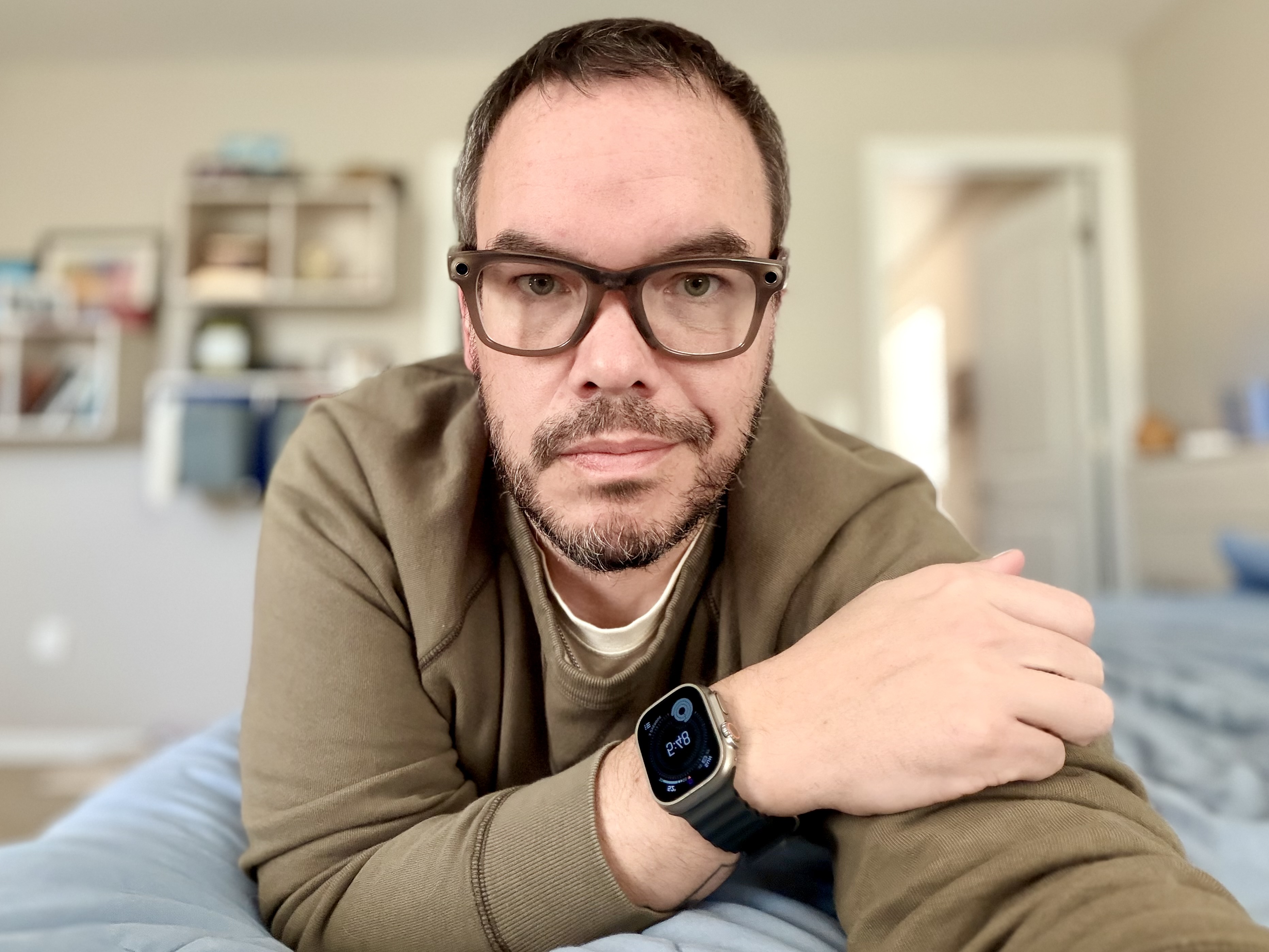
Lifelong tech lover. I’m more in the Apple ecosystem than I care to admit, but ignorance is bliss. I love to write in all forms, journaling, jokes, and more commonly Threads posts. I love stand up comedy, tv shows, movies. I feel like I’m the only person that doesn’t use YouTube or TikTok on a regular basis. When the weather permits I love camping, hiking, biking and boating.


